Overview — what it does
Remote emulate deploys and runs probes via an HTTP relay to each node's tlx.php agent — no SSH session required. Without logging into the target host you can run the version / parameter / firewall / security-diagnostics probes across many servers in a few clicks.
This is the tlx.php HTTP relay, not SSH. For an interactive shell use the SSH PTY terminal. The relay is signature-gated and runs only whitelisted
infr_*.cjsprobes — never arbitrary commands.
Layout
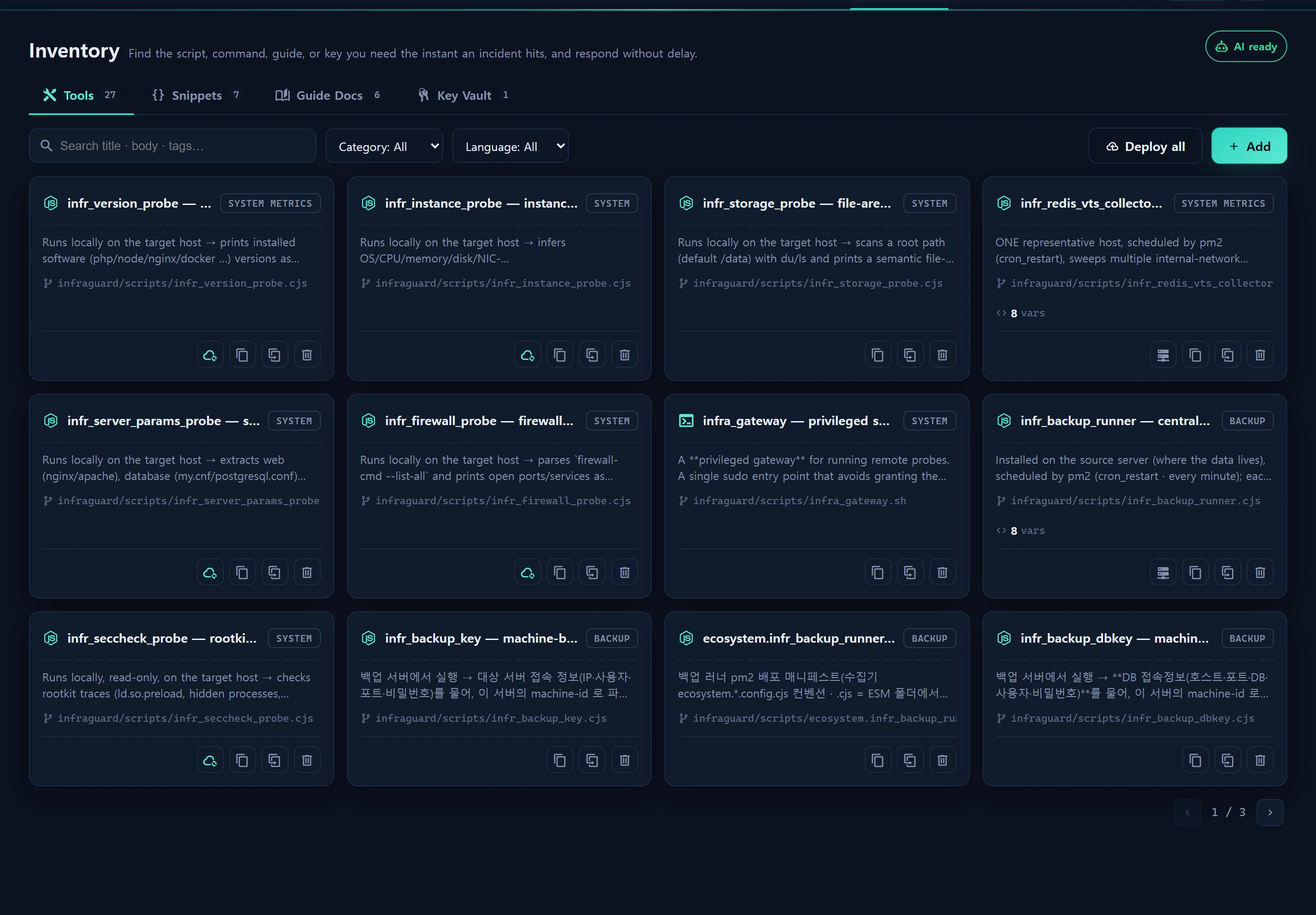
Probe cards in Inventory ▸ Tools gain a "Remote emulate" action (only for probes registered in RemoteProbeCatalog). Flow: target-instance checklist → deploy → run → review → apply.
How to use
- Pick target instances. Reachable = the alias matches a run_report collector node (
RemoteAgentService::reachable). - Deploy and run the probe (signed request).
- Review the produced JSON and [Apply] to register it to the matching asset endpoint (e.g. version ledger, parameters, firewall, security diagnostics).
Registered probes (5): infr_version_probe · infr_instance_probe · infr_server_params_probe · infr_firewall_probe · infr_seccheck_probe.
Data sources
App\Services\Remote\RemoteAgentService·App\Support\RemoteProbeCatalog·Collector\TlxClient- Each probe's
import_route(apply endpoint)
Access
Deploy/run/apply require level≥2 + audit. Arbitrary-host execution is not allowed (registered instances + whitelisted probes only → SSRF-safe).
Related