Overview — what it does
InfraGuard has two authentication planes:
- Web console = session login. An operator signs in with
login_id+passwordandAuthControllercreates a custom session. Every console page then passes through theinfr.authmiddleware (InfrAuth), which checks the session and re-reads the user's level, name and language from the database on every request to keep the session copy in sync. - External ingest API = stateless API-key bearer. When an external app posts incidents, backup reports or security scans, it authenticates with an API-key token (
Authorization: Bearer …orX-Infr-Api-Key) via theinfr.apikeymiddleware — not a session. No session, no CSRF.
Key characteristics:
- Session re-sync — when an admin changes a user's level, name or language, it takes effect from the next request with no re-login required.
- URL-level enforcement — hiding menu items is not enough. Route groups such as
/security,/backupand/adminenforce the minimum level directly on the URL with theinfr.level:Nmiddleware. - Destructive actions = level re-check + audit — blocking, restoring, changing settings, etc. are protected by a write-level gate, an
infr_audit_logrecord, and a UI confirmation.
When to use
- You are signing into the console for the first time, or were suddenly bounced back to
/loginand want to understand why. - You are wiring an external Laravel app into the incident ingest API or backup reporter and need to know which header authenticates it.
- An admin changed a level/name/language and you must explain why no re-login is needed.
Layout
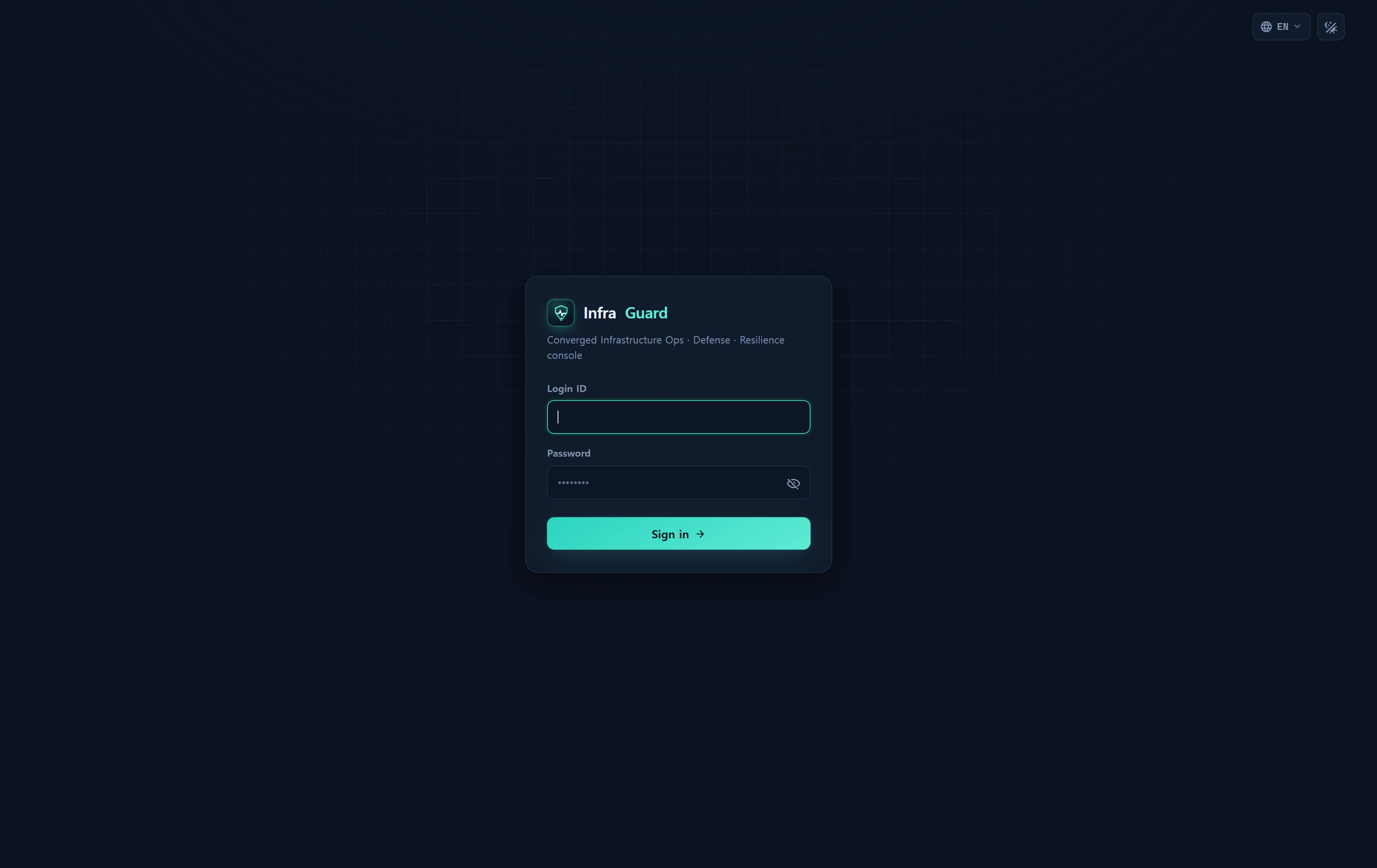
The login screen (/login) is a single simple card.
| Element | Description |
|---|---|
| Brand · tagline | Infra**Guard** logo + "Converged infrastructure ops · defense · resilience console" |
| Login ID | login_id input. autocomplete=username, auto-focused |
| Password | password input + eye icon show/hide toggle |
| Error banner | On failure: "The credentials you entered do not match." |
Hidden field next |
Post-login return path (must start with /) |
| Submit button | "Sign in →" |
The login form carries a standard Blade
@csrftoken. The console is protected by session + CSRF and does not ask for a separate bearer token in the UI.
How to use
Signing in
- Navigate to
/login(if you are already signed in you are redirected to/). - Enter your
Login IDandPassword.- Validation:
login_idmax 60 chars,password4–120 chars.
- Validation:
- Click Sign in. The server looks up the account in
infr_userbylogin_id+is_close=0and verifies the password. - On success the session is regenerated (
session()->regenerate()) and you are sent tonext(or/).
A successful login populates these session keys:
| Session key | Value |
|---|---|
infr_user_id |
infr_user.id (the source of truth for "is authenticated") |
infr_login_id |
Login ID |
infr_user_level |
user_level (integer) — RBAC level |
infr_name |
Display name |
infr_lang |
Display language (defaults to ko) |
The last_log column is also stamped with the current time.
Signing out
- Use the Log out item in the top-bar user dropdown (or
POST /logout). - The server forgets
infr_user_id, invalidates the session, regenerates the CSRF token, and redirects to/login.
Session lifetime & per-request re-sync
Every console page passes through infr.auth (InfrAuth), which on each request:
- Re-loads the user by the session
infr_user_id(hot path, minimal columns: id · login_id · name · email · user_level · role_id · team_id · lang · avatar · is_close). - If the account is missing or
is_close=1(deactivated), it destroys the session and redirects to/login(or returns JSON 401). - Overwrites
infr_user_level·infr_name·infr_langwith the DB values — so an admin's level/name/language change reflects from the next request without a re-login. - Stashes the user model in the
infr_userrequest attribute and sets the display language viaapp()->setLocale(). - Calls
OpsPolicy::markPresence()to record presence (used by the operations-policy economy mode to decide "a console user is active right now" and gate DB collection — see Operations Policy).
Session lifetime follows SESSION_LIFETIME (default 120 minutes).
The console login has no separate "remember me" checkbox. The session persists for the lifetime above; once it expires you must sign in again.
External ingest API authentication (bearer key)
When an external app posts to /api/v1/* it authenticates with an API key (stateless — no session, no CSRF).
| Method | Example header |
|---|---|
| Bearer | Authorization: Bearer YOUR_KEY |
| Custom header | X-Infr-Api-Key: YOUR_KEY |
Behavior:
- The server converts the received token to a hash and compares it in constant time (a constant-time comparison) against
infr_api_key.key_hash(active keys only). The plaintext key is never stored. - 120 requests per minute rate limit per key. Exceeding it returns
429 rate_limited+ aRetry-Afterheader. - Each call stamps
last_used_at·last_used_ip·use_count.
Key endpoints:
# Connectivity / key check
curl -sS https://infraguard.example.com/api/v1/ping \
  -H "Authorization: Bearer YOUR_KEY"

# Auto-register an incident (deduped · source=pulse)
curl -sS -X POST https://infraguard.example.com/api/v1/incidents \
  -H "Authorization: Bearer YOUR_KEY" \
  -H "Content-Type: application/json" \
  -d '{"title":"NPE in checkout","fingerprint":"abc123","severity":"crit"}'
Issue, revoke and copy the integration code in Administration ▸ API Keys (the plaintext key is shown only once at issue time).
Step-up — protecting destructive actions
Risky actions such as blocking, releasing, restoring or changing settings are protected — not by re-entering a password — but by three defenses:
- Level re-check — write actions require at least the write level (2+), and administrative actions require admin (10), re-verified server-side.
- Audit log — the before/after values plus the actor and IP are written to the audit log (
infr_audit_log). - UI confirmation — a confirmation dialog (step-up) gates the action in the interface.
Data sources
| Object | Purpose |
|---|---|
infr_user |
Operator accounts. Columns: login_id · password · user_level · name · email · lang · is_close · role_id · team_id · last_log · avatar |
| Session store (Redis) | Session keys such as infr_user_id (REDIS_PREFIX infr_) |
infr_api_key |
The hash (key_hash) of ingest API keys · is_active · use_count · last_used_at/ip |
infr_audit_log |
Audit trail of destructive / security actions |
The
infr_user.passwordcolumn is never exposed in logs, URLs or cookies. An API key's plaintext is shown only at issue time; the database keeps only the hash.
Access
/login·/logout— reachable by anyone (guest).- Whole console — requires a valid session (
infr.auth). Without one, page requests redirect to/loginand AJAX requests get401 unauthenticated.
URL-level gates (evaluated after login):
| Area | Middleware | Minimum level |
|---|---|---|
| General console (Overview · Infrastructure · Assets read) | infr.auth |
Login only (1) |
/security · /backup |
infr.level:2 |
2 |
/admin |
infr.level:10 |
10 |
/horizon · /pulse |
infr.admin |
10 |
| Dev section | infr.dev |
9 |
Level tiers: demo=1 · staff=5 · admin=10. See RBAC levels for the full policy.
Troubleshooting & FAQ
I log in but keep getting bounced to /login.
The session cookie is not being stored (domain / SESSION_DOMAIN mismatch, or an HTTPS-only cookie served over HTTP), or the account was set to is_close=1 (deactivated). Ask an admin to check the account state.
I see "The credentials you entered do not match."
A login_id typo, a wrong password, or a deactivated account (is_close=1). For security the message does not say which.
An account cannot log in. The password may be wrong or the account deactivated. An admin resets the password in Users & Teams.
I can log in but cannot open /admin.
Your level is below 10. /admin is guarded by infr.level:10, so only admins reach it. Likewise /security and /backup require level 2+.
An AJAX call returns 401.
The console session expired. Refresh the page and sign in again. JSON requests receive {"error":"unauthenticated"} 401 instead of a redirect.
An admin raised my level but it did not apply.
InfrAuth re-syncs the session every request, so it applies from the next navigation — no re-login needed. Refresh to apply immediately.
The menu/UI is in an unexpected language.
The display language follows infr_user.lang (session infr_lang) and re-syncs each request. Change it in Localization.
The API returns 401 invalid_api_key / 429 rate_limited.
An inactive or mistyped key gives 401; more than 120 requests per minute gives 429 (+ Retry-After). Check the key state in API Keys and slow down.
Related
- RBAC levels —
user_level↔min_req, demo/staff/admin tiers - Roles & Teams — role scope and team ownership
- Users & Teams admin — create accounts, reset passwords, deactivate
- API Keys — issue ingest API keys and integration code
- Localization — display language and locale fallback
- Audit log — tracking destructive actions